Integrations
The Integrations tab, provides access to managing and configuring all sensor integrations in UNIFY.C2. When hovered over, reveals two options: All Integrations and Calibrate Cameras . Selecting All Integrations opens the Forward CoT page by default.
Integrations.png)
At the top left of each sensor integration page is a dropdown menu labeled Viewing Integrations, which allows users to navigate between different integration types.
Integrations-Drop-down.png)
Available options include:
Request New Integration
The Request New Integration button allows users to submit a formal request for integrating a new sensor or data source into UNIFY.C2.
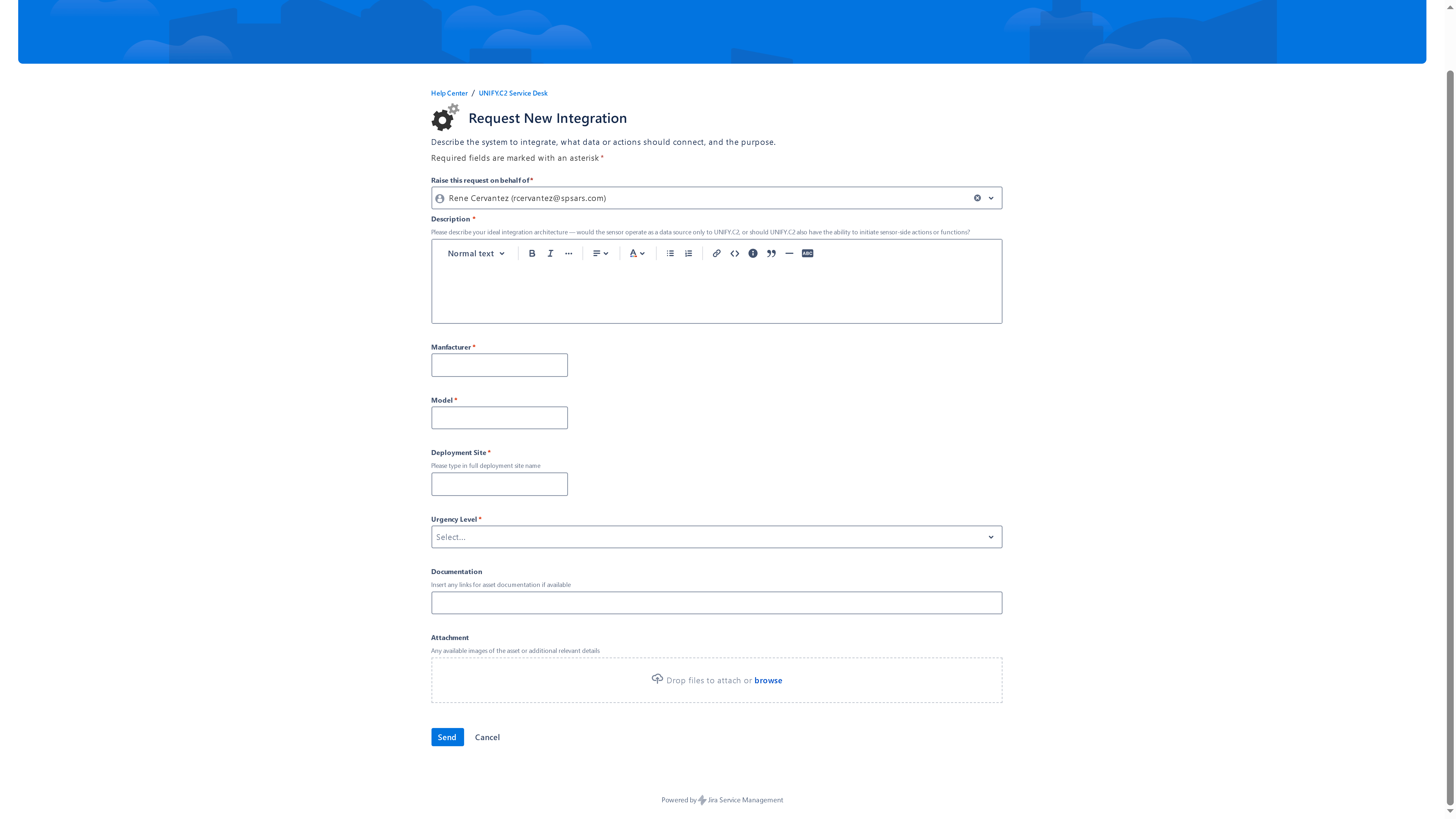
When clicked, it directs the user to the UNIFY.C2 Service Desk – Request New Integration page, where a support ticket can be submitted with the necessary details about the desired integration.
Form Fields:
- Description – Describe your ideal integration architecture and expected functionality.
- Manufacturer – Enter the name of the sensor’s manufacturer.
- Model – Specify the model of the sensor or system.
- Deployment Site – Provide the full name of the intended deployment site.
- Urgency Level – Indicate the priority or urgency of the integration request.
- Documentation – Field to insert a hyperlink to any related documentation or specifications.
- Attachment – Upload any relevant files or reference materials supporting the request.
Once all required information is entered, click SEND to issue the ticket request to the SPS Support Team.