Ingest DroneShield
The Ingest DroneShield tab allows users to configure and manage inbound data from DroneShield sensors.
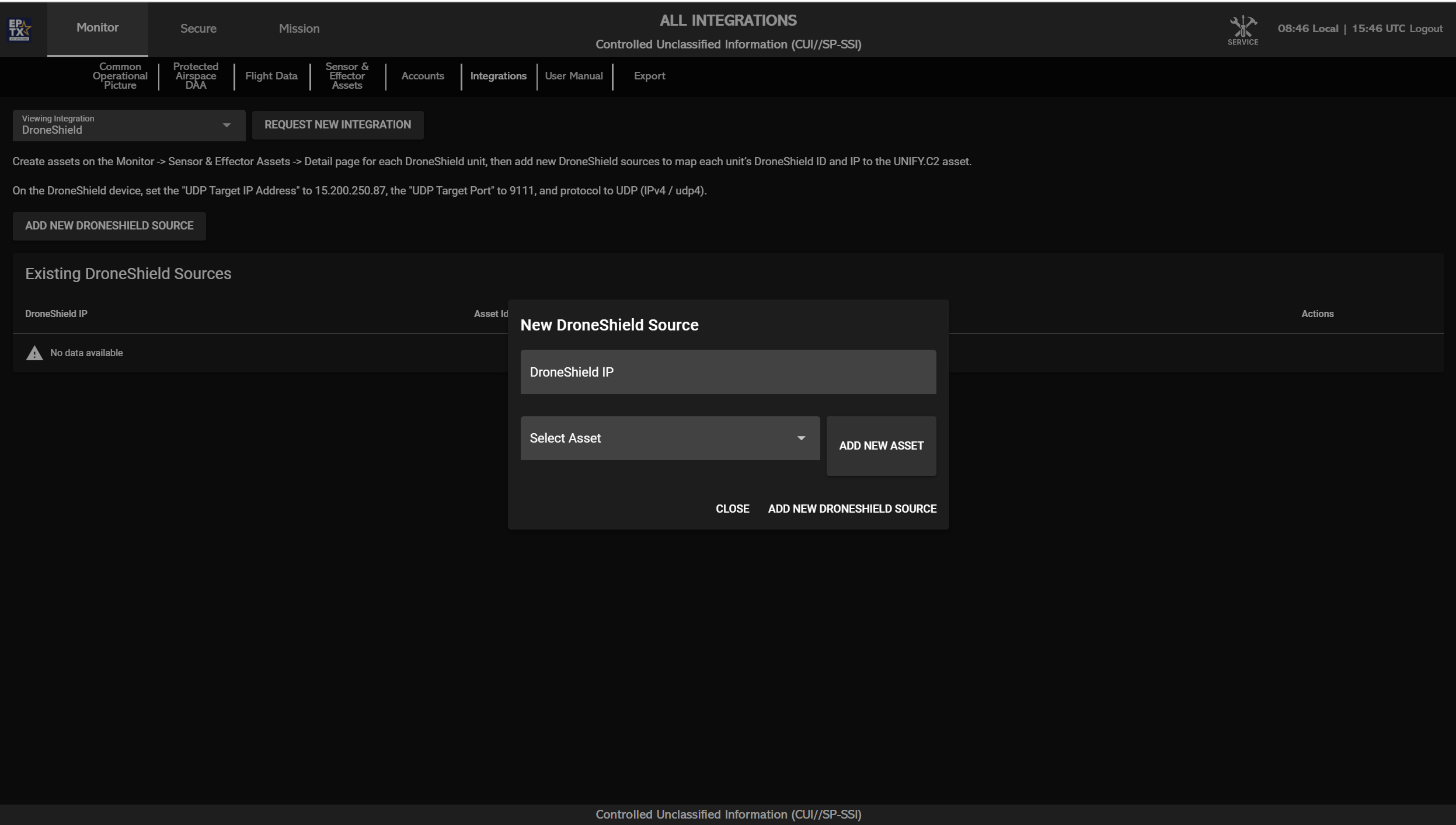
Main Table View
The table displays all configured DroneShield sources with the following fields:
- DroneShield IP
- Asset ID
- Asset Name
- Actions (e.g., delete or modify source)
- Green if the DroneShield is actively sending heartbeat signals
- Red if the DroneShield is offline or not detected
Adding New Source
Click ADD NEW DRONESHIELD SOURCE to open a popup with the following input fields:
- DroneShield IP
- Select Asset (Dropdown) – Select an existing asset to connect as the heartbeat source
- ADD NEW ASSET – Optional button that allows the user to create and connect a new heartbeat asset directly from the popup
Configuration Notes
- DroneShields must be configured to send data to the correct IP address and port (9111).
- Refer to the Integrations page on the UNIFY.C2 website to find the correct destination IP address.
- For on-premise installations, use the on-prem server's IP address as the UDP target IP address in the DroneShield configuration interface.