Ingest Ninja

The Ingest Ninja tab allows users to configure inbound WebSocket connections from Ninja hardware sources.
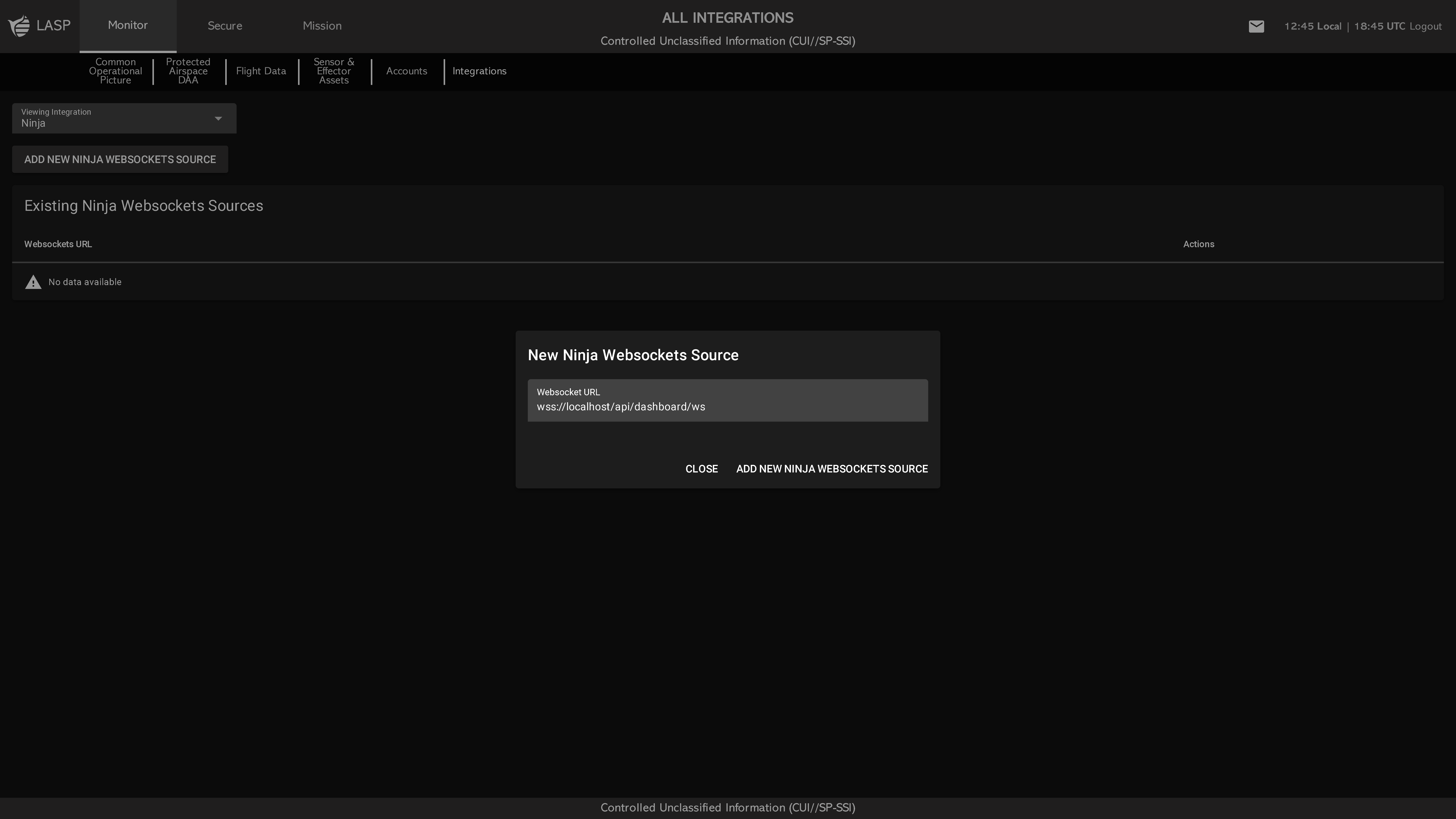
Main Table View

The table displays all configured Ninja sources with the following columns:

  • WebSocket URL
  • Asset ID
  • Asset Name
  • Actions
Each Asset will appear:
  • Green when the connection is healthy (operational)
  • Red when the sensor is not responding or offline
Adding a New Source

Click ADD NEW NINJA WEBSOCKETS SOURCE to open a popup with the following input field:

  • WebSocket URL (default: wss://localhost/api/dashboard/ws)
  • Select Asset (Dropdown) – Select an existing asset to connect as the heartbeat source
    • ADD NEW ASSET – Optional button that allows the user to create and connect a new heartbeat asset directly from the popup
Users can confirm the connection by clicking ADD NEW NINJA WEBSOCKET SOURCE or cancel by clicking CLOSE.

Note: Replace localhost with the actual IP address of the user’s Ninja hardware to ensure proper communication.